THE RENOVATION APP

Your kitchen project,
from idea to hired.

Tradely connects homeowners and local contractors. Post the work you need done, compare quotes and keep every project conversation in one place.

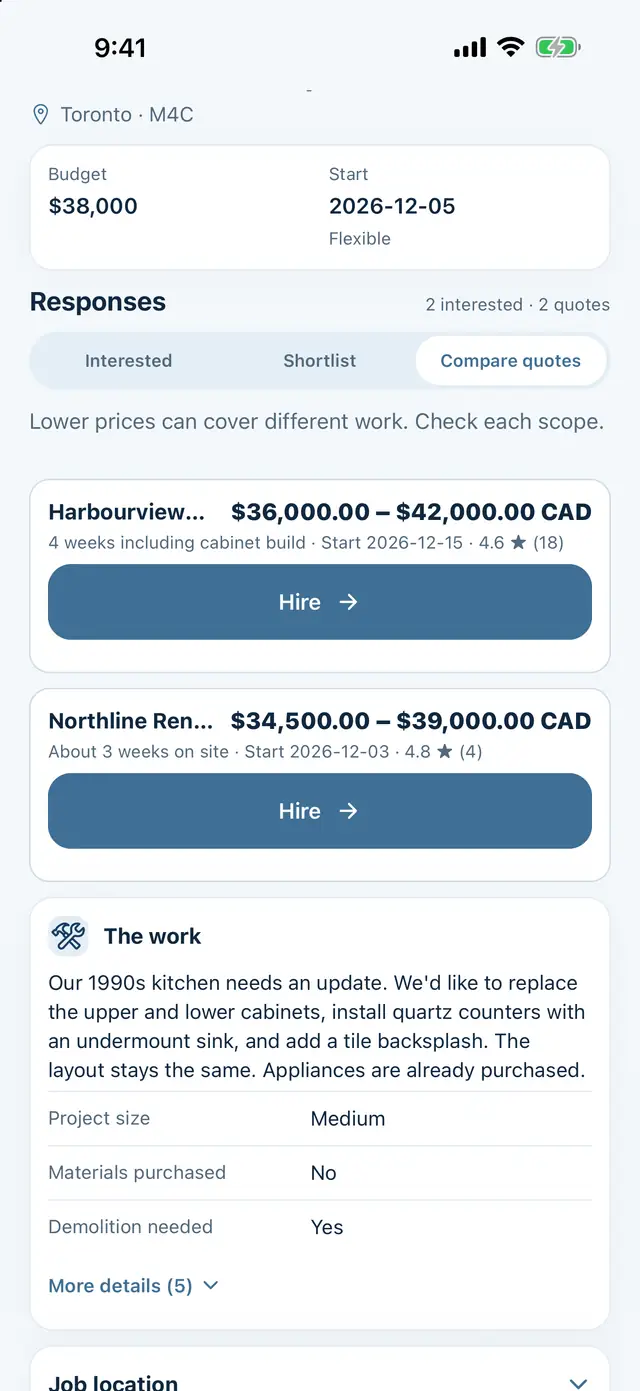
Tradely screen comparing two contractor quotes.
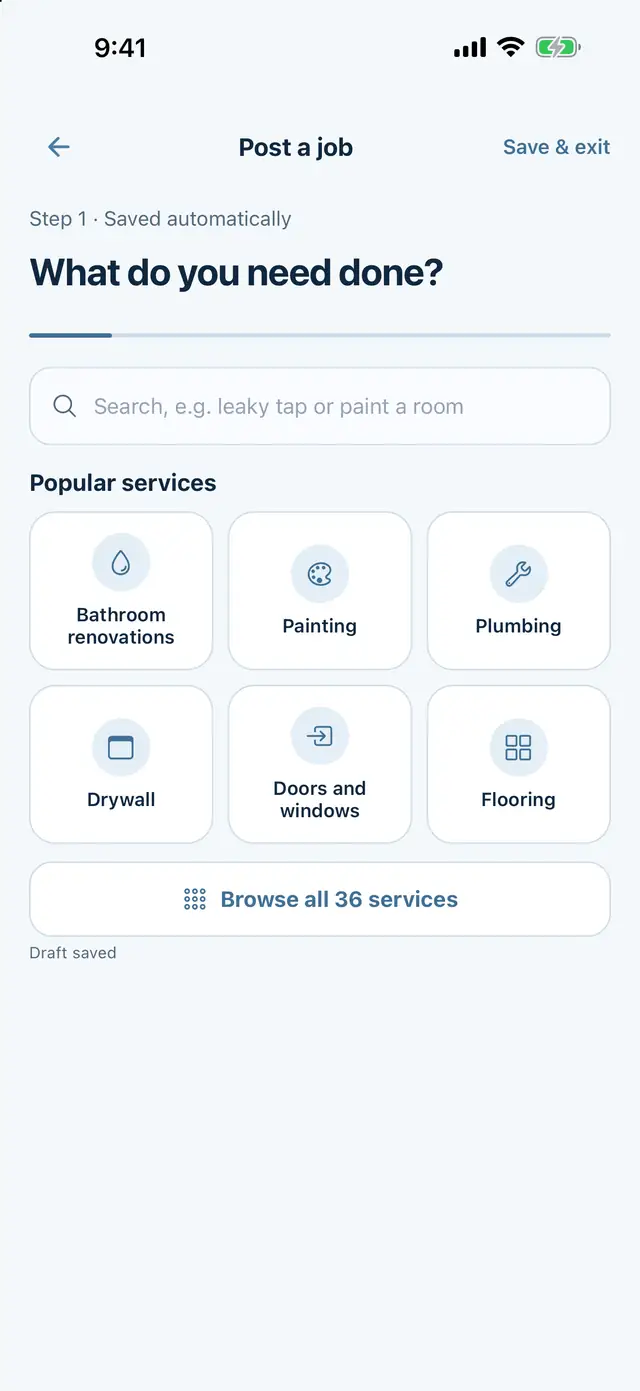
Post a job screen with popular services.
Tradely home screen with Post a job, the AI project helper and a list of projects.
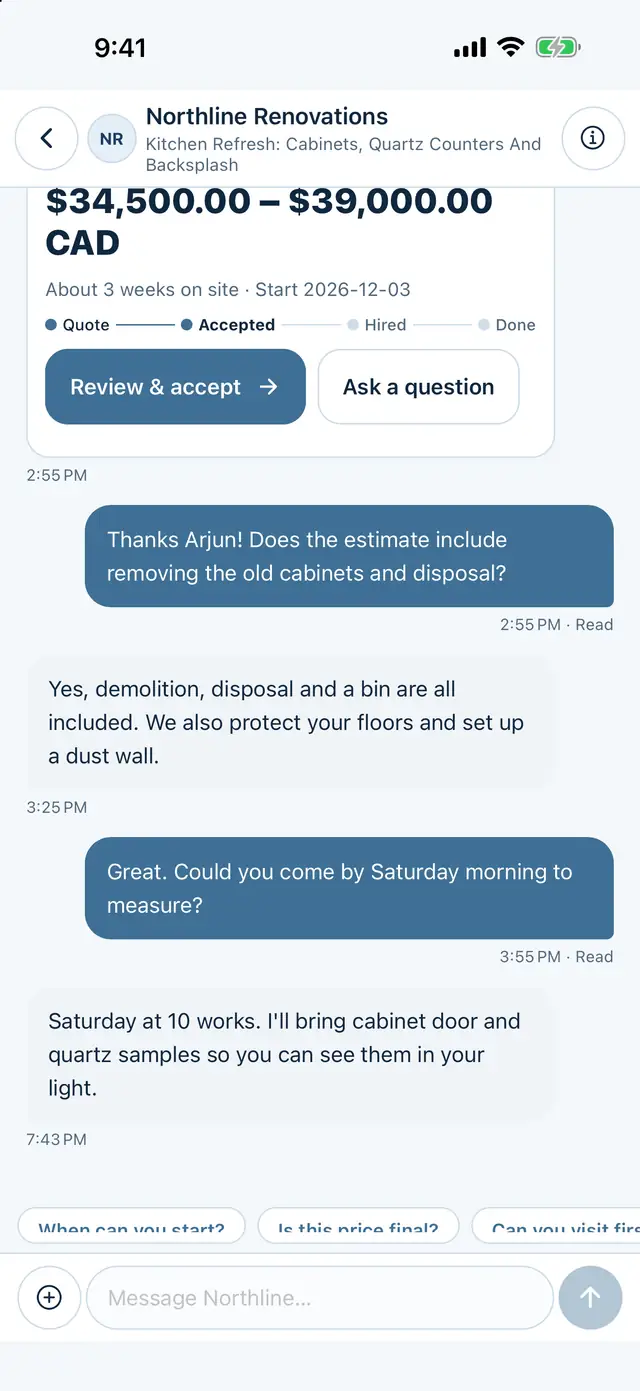
Tradely project chat between a homeowner and a contractor.
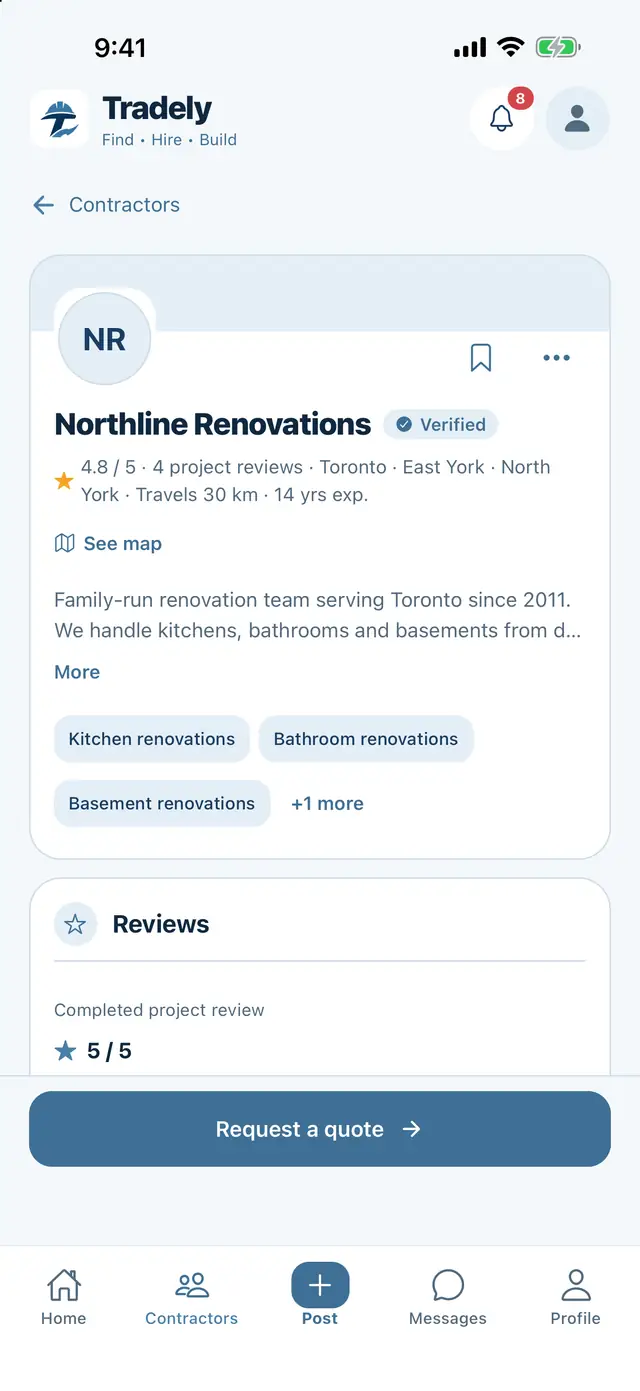
Contractor profile with reviews and a verified badge.
  • Kitchen renovations
  • Bathroom renovations
  • Painting
  • Flooring
  • Drywall
  • Plumbing
  • Carpentry
  • Doors and windows
  • Basement renovations
  • Landscaping
  • General renovations
  • General renovations
  • Landscaping
  • Basement renovations
  • Doors and windows
  • Carpentry
  • Plumbing
  • Drywall
  • Flooring
  • Painting
  • Bathroom renovations
  • Kitchen renovations
HOW IT COMES TOGETHER

From the first idea
to the next conversation.

Four steps, one project. Scroll to walk through the app.

  1. 01 Post the job

    Start with the work you need done.

    Pick the service, then add the scope, approximate location, timing and photos. If you want a hand writing it, talk or type through your idea with AI. You review the draft before posting.

    • Write your own brief or use AI assistance
    • Add useful photos and project details
    • Review and edit before you publish
    Post a job screen with a search box and popular services.
  2. 02 Meet local trades

    Look beyond a name and a number.

    Explore contractor profiles, read about their services and look through portfolio work. Consider the experience and service area that fit your project.

    • Explore business profiles and services
    • Review portfolio photos and project reviews
    • Discuss credentials and suitability directly
    Contractor profile with services, service area, a verified badge and reviews.
  3. 03 Compare quotes

    Understand what’s included.

    Quotes stay with your project so you can review the scope, estimated price and timing. Ask questions and confirm the details with your contractor before work begins.

    • Review the proposed scope of work
    • Discuss estimated price and timing
    • Agree on written terms directly
    Two quotes for a kitchen project shown side by side with price ranges and timing.
  4. 04 Keep in touch

    Keep the conversation with the project.

    Use project messages to discuss the work and share attachments. Your web and mobile account use the same projects, quotes and conversations.

    • Discuss changes and follow-up questions
    • Share project documents and attachments
    • Use the same account across web and mobile
    Project conversation between a homeowner and a contractor about a kitchen quote.

Screens are from the Tradely iPhone app, shown with sample projects.

EVERYTHING IN ONE PLACE

Your renovation,
finally organized.

Tradely gives the details of your project a place to live.

An AI helper for the first draft

Talk or type through your idea and get a project brief you can review and edit. Usage limits apply.
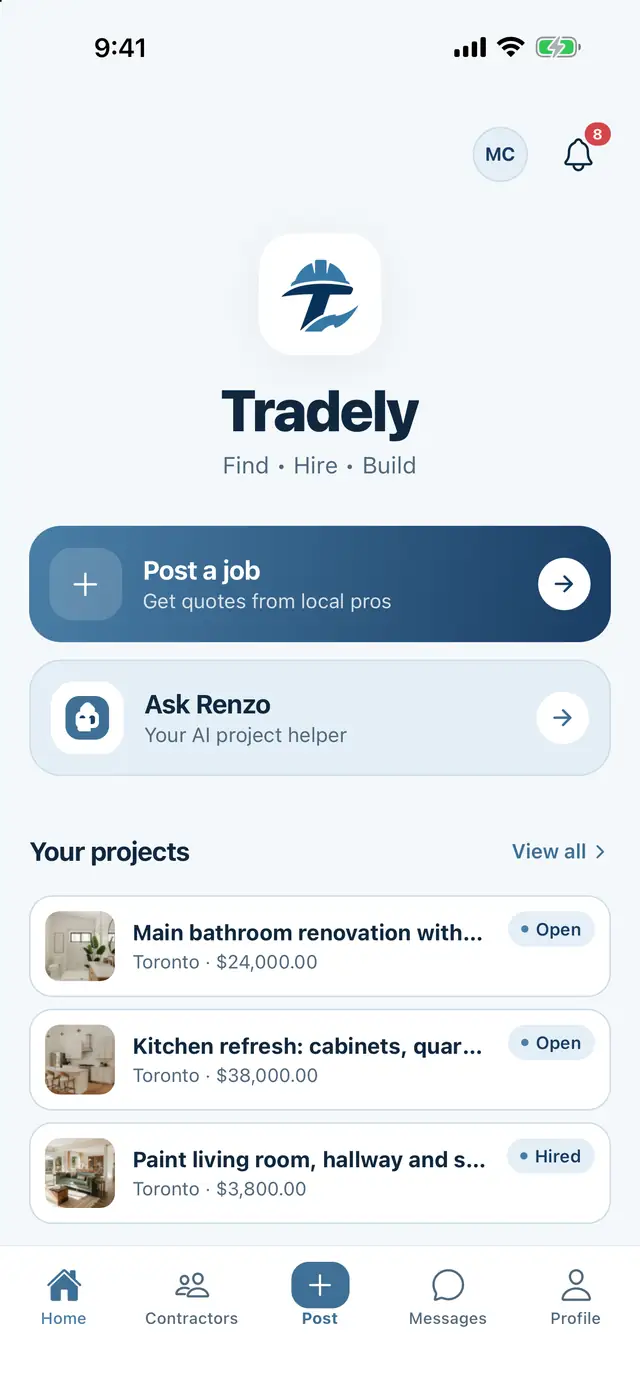
Tradely home screen with Post a job and the AI project helper.

Real profiles

Services, service area, portfolio photos and reviews from completed Tradely projects.

Quotes side by side

Scope, estimated price and timing together, so you compare the same work.

Messages with the project

Questions, changes and attachments stay attached to the job they belong to.

Badges with clear limits

A verified badge means submitted documents were reviewed. See what it covers.

One account, web and mobile

Sign in on the web today. Your projects, quotes and conversations follow the same account.

See how to get Tradely
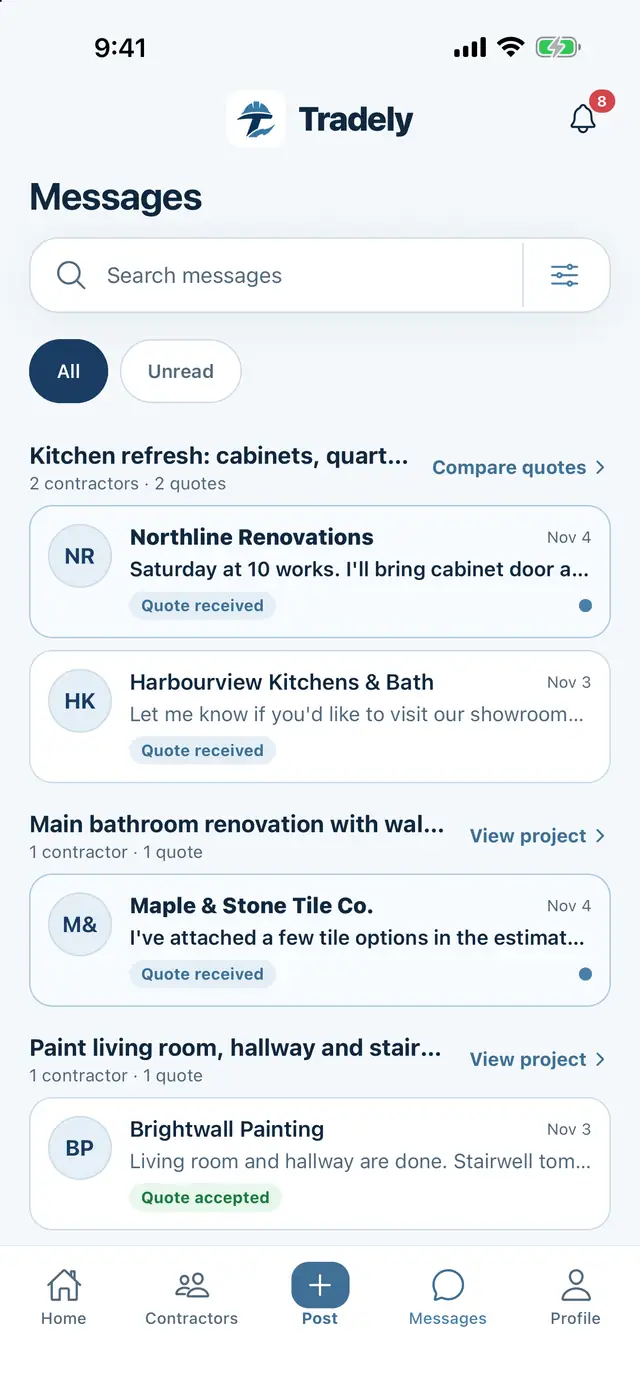
Messages list grouped by project.
USEFUL TO KNOW

Tradely connects people around renovation work. Homeowners and contractors make their work agreements and payment arrangements directly.

Profiles, quotes and AI drafts help you make a decision. Check licences, insurance, permits, scope and pricing before hiring.

Read the terms
TWO SIDES. ONE PROJECT.

Built for the people
on both sides of the job.

For homeowners

Tell the right people what you need.

Whether it’s painting a room or renovating a kitchen, start with the details you know. Add to your project as the conversation develops.
  • Post your scope, photos and timing
  • Explore profiles and quotes
  • Keep messages with your project
Post a project
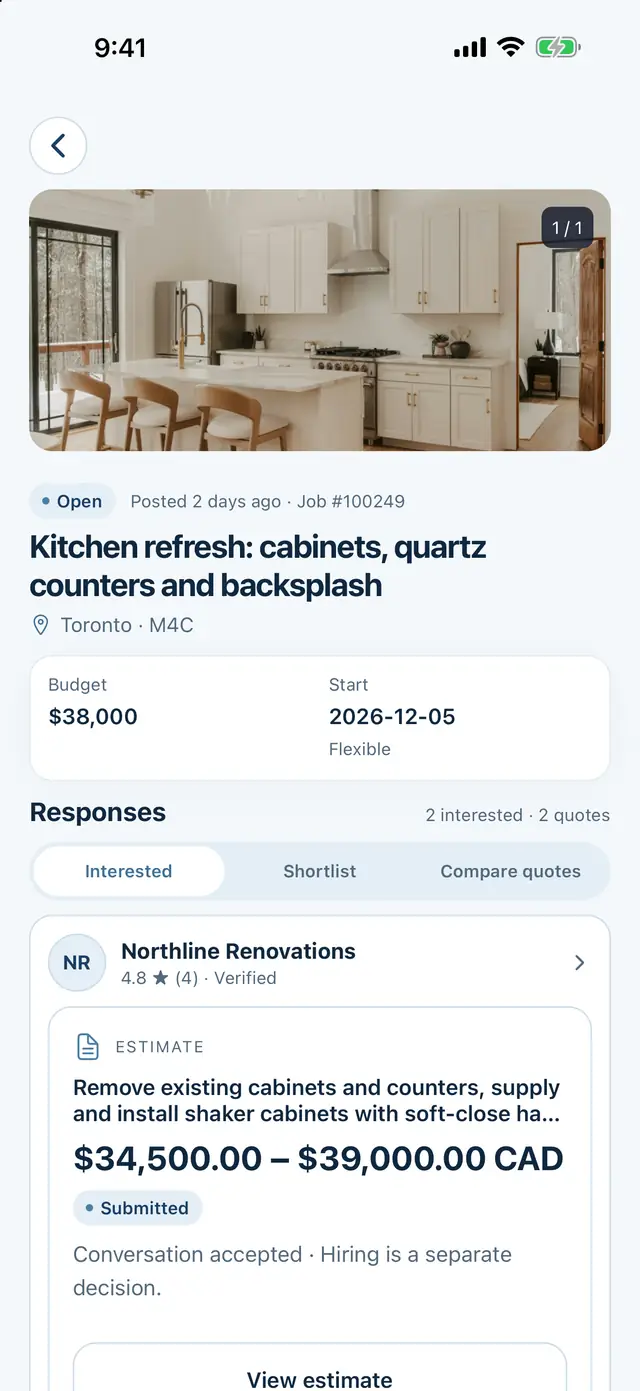
Two contractor quotes compared for a kitchen project.
A homeowner project page listing the quotes received.
For contractors

Find work that fits what you do.

Set up your business profile, choose your services and service area, and decide which projects are worth a conversation.
  • Show your real portfolio and experience
  • Read project details before quoting
  • Review lead-credit and membership terms
Explore contractor features
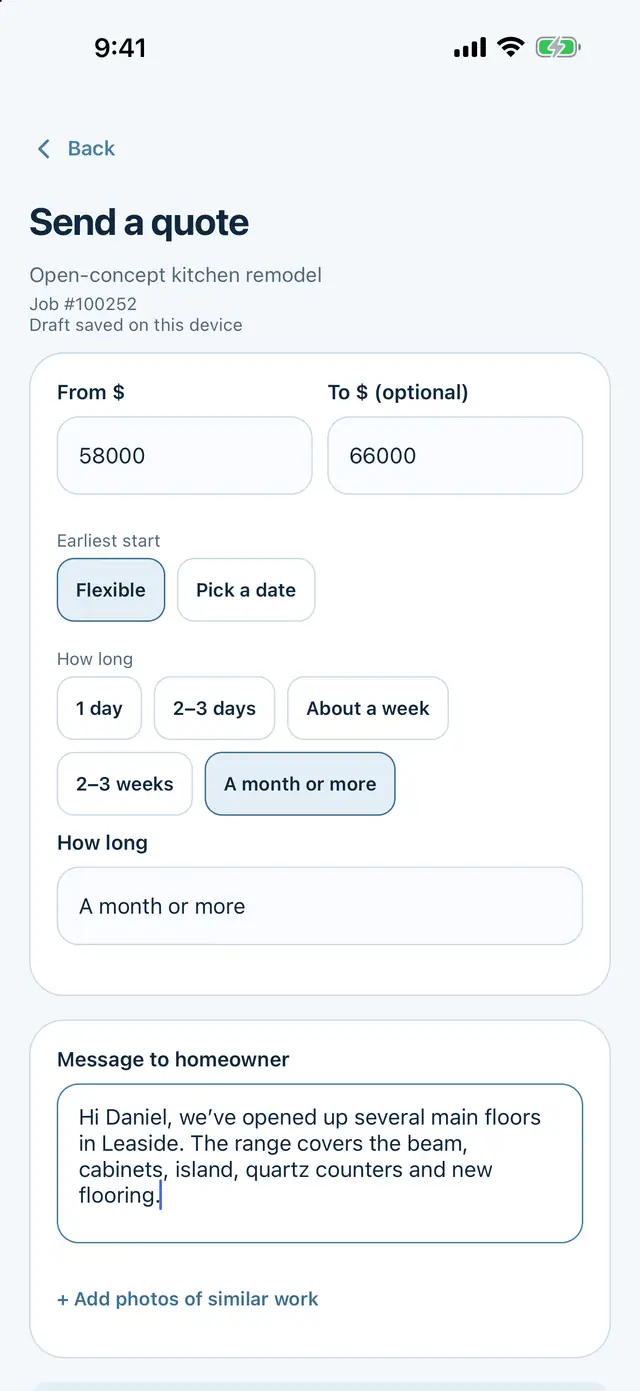
Send a quote screen with price, timing and scope fields.
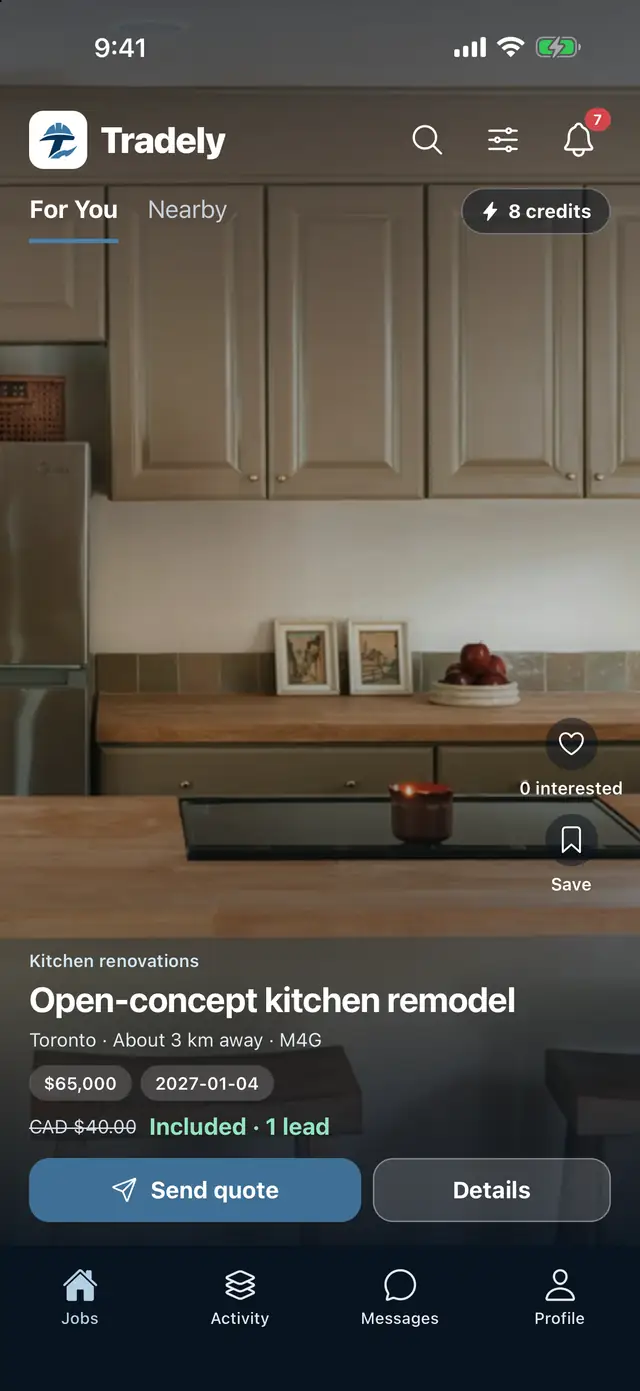
Contractor job feed showing a kitchen remodel with budget, distance and a Send quote button.

Use Tradely online today.

Homeowners and contractors can open the web app now. iPhone and Android apps are coming soon.